
GitHub Action Automated Deployment (Recommended for Developers)
If you want higher control, version traceability, or need to manage the Cloudflare D1 database more precisely, GitHub Action is the most robust choice.
🛠️ Deployment Steps
1. Preparation (D1 Database)
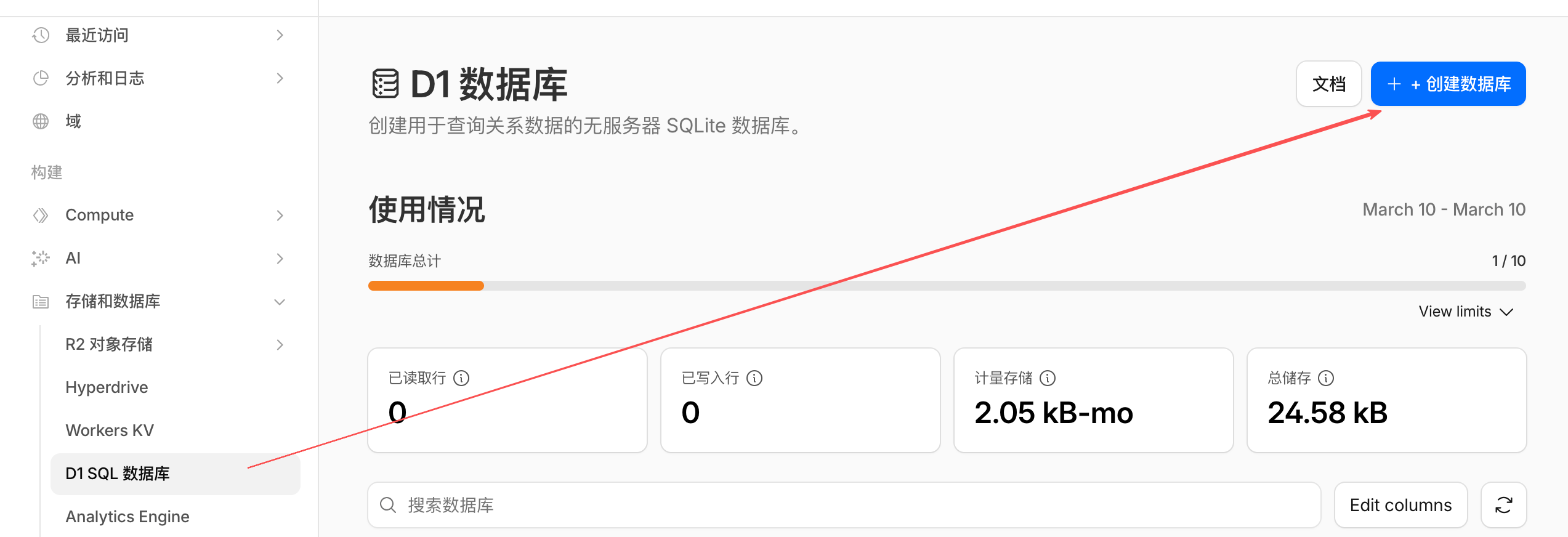
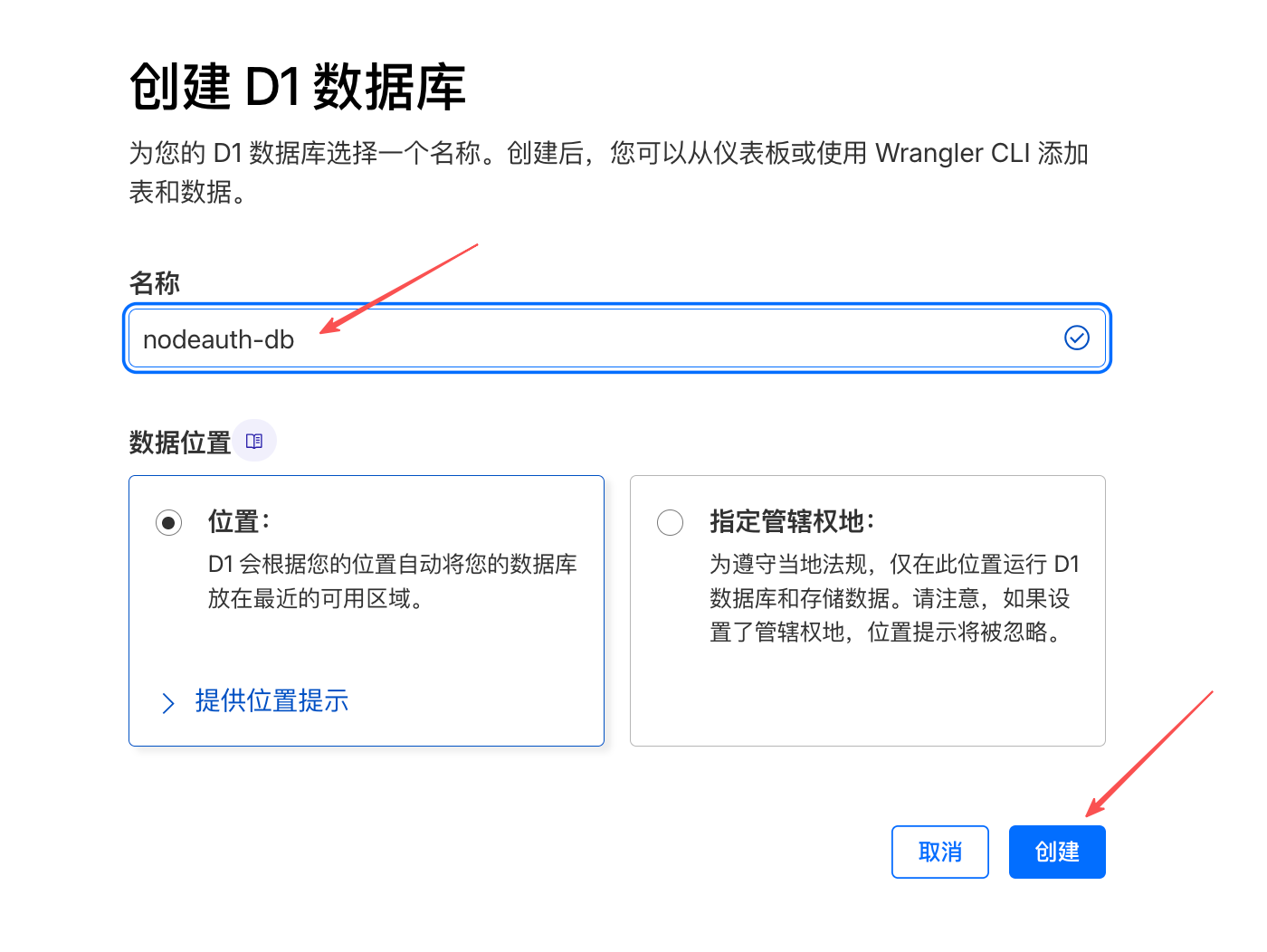
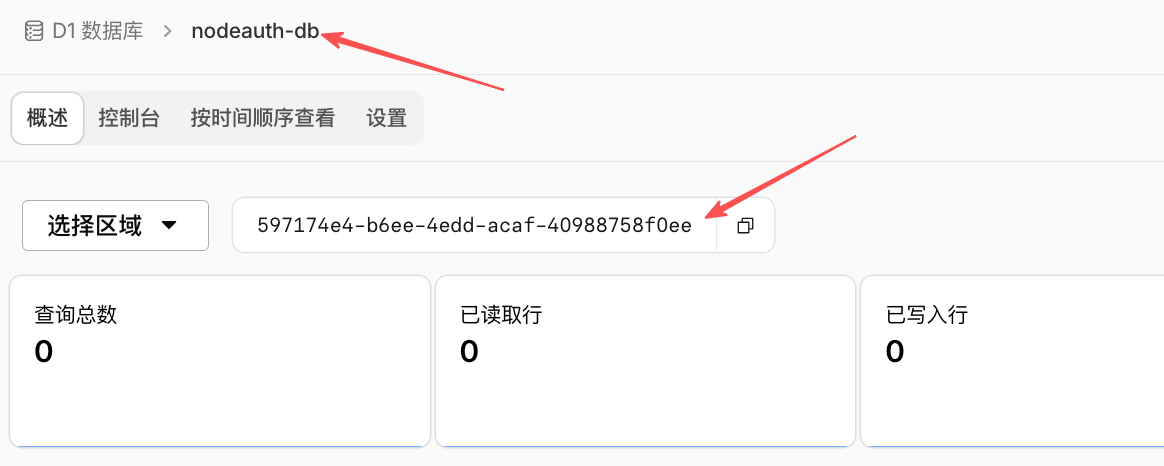
Create a database named nodeauth-db in the Cloudflare dashboard and record its Database ID.
- Go to
Storage & Databases->D1->Create Database.
Click to view: Detailed steps to create D1 SQL Database
2. Obtain API Token
- Log in to the Cloudflare Dashboard.
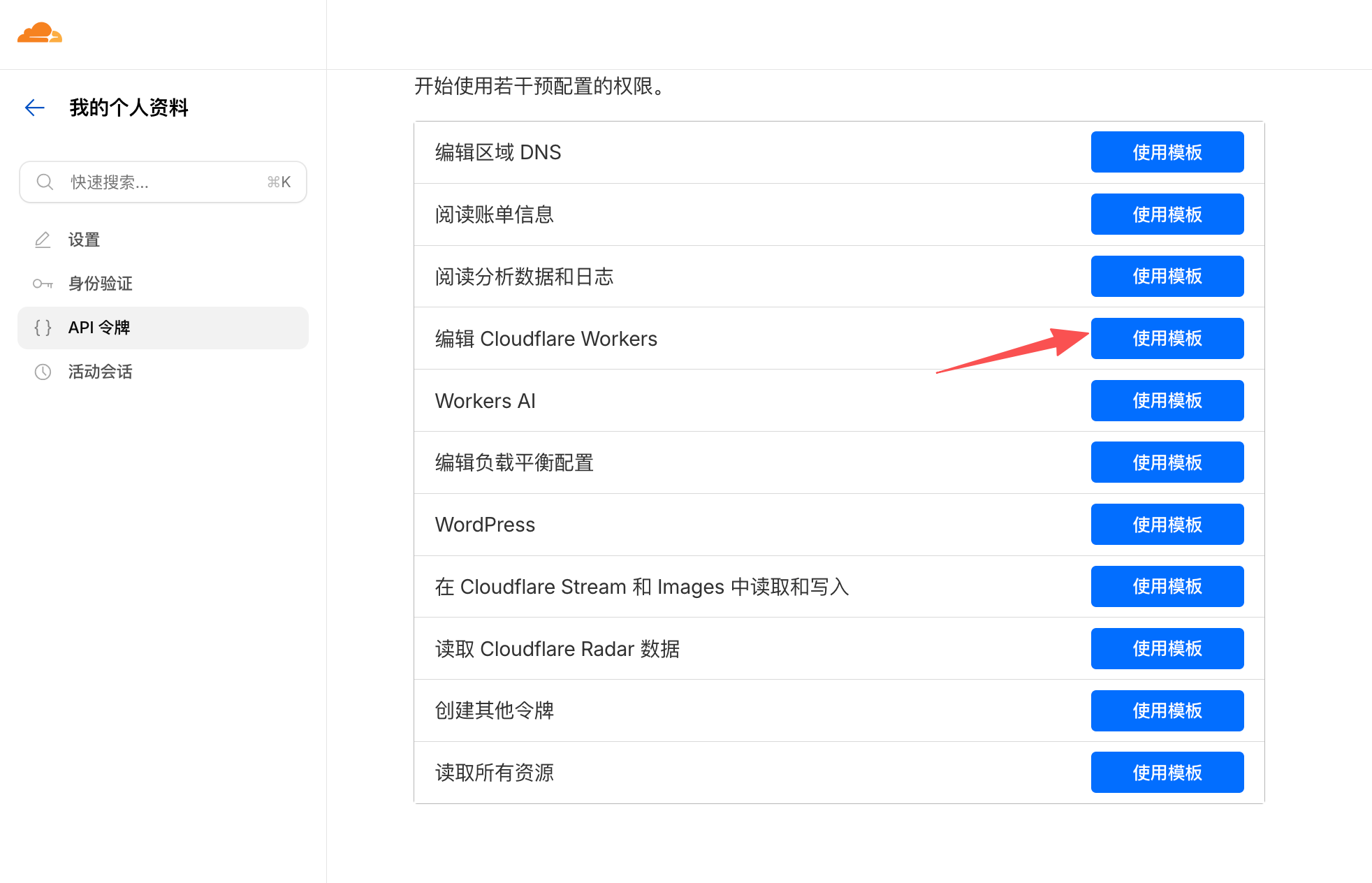
- Go here to get your token.
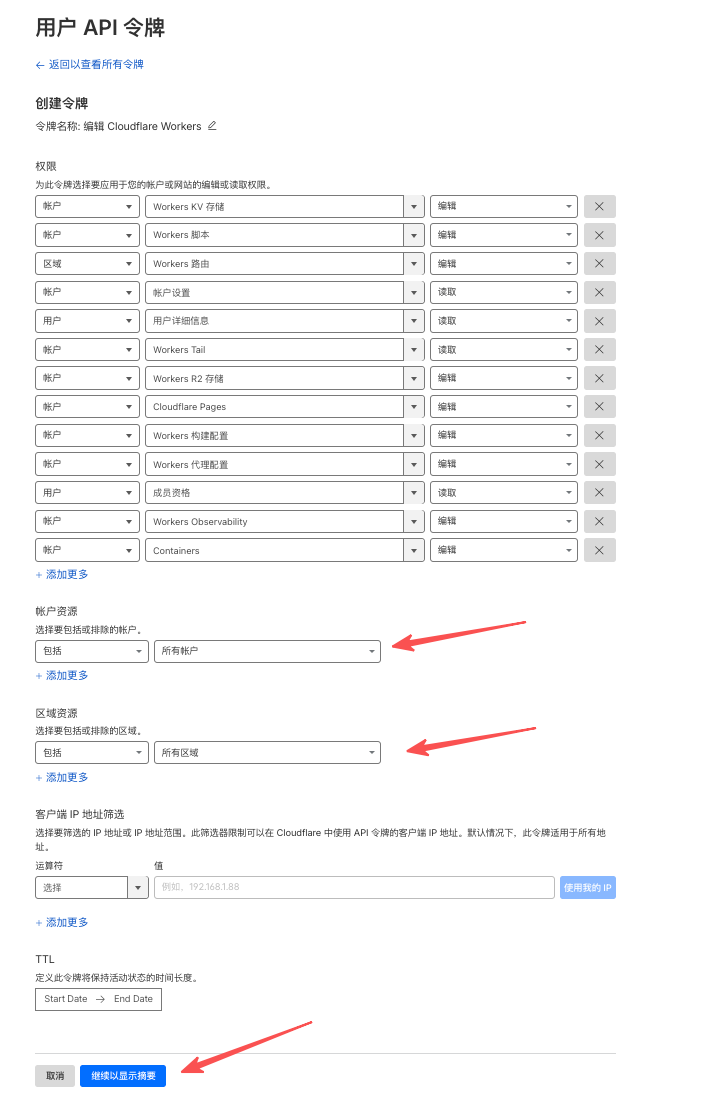
- Click "Create Token".
- Select the "Edit Cloudflare Workers" template.
- Configure "Account Resources" and "Zone Resources".
- Click "Continue to summary," then click "Create Token".
- Copy the generated token.
Click to view: Detailed steps to obtain a Cloudflare Worker deployment token
3. Configure Repository Secrets
This is the most critical step; never write your core keys directly into your code.
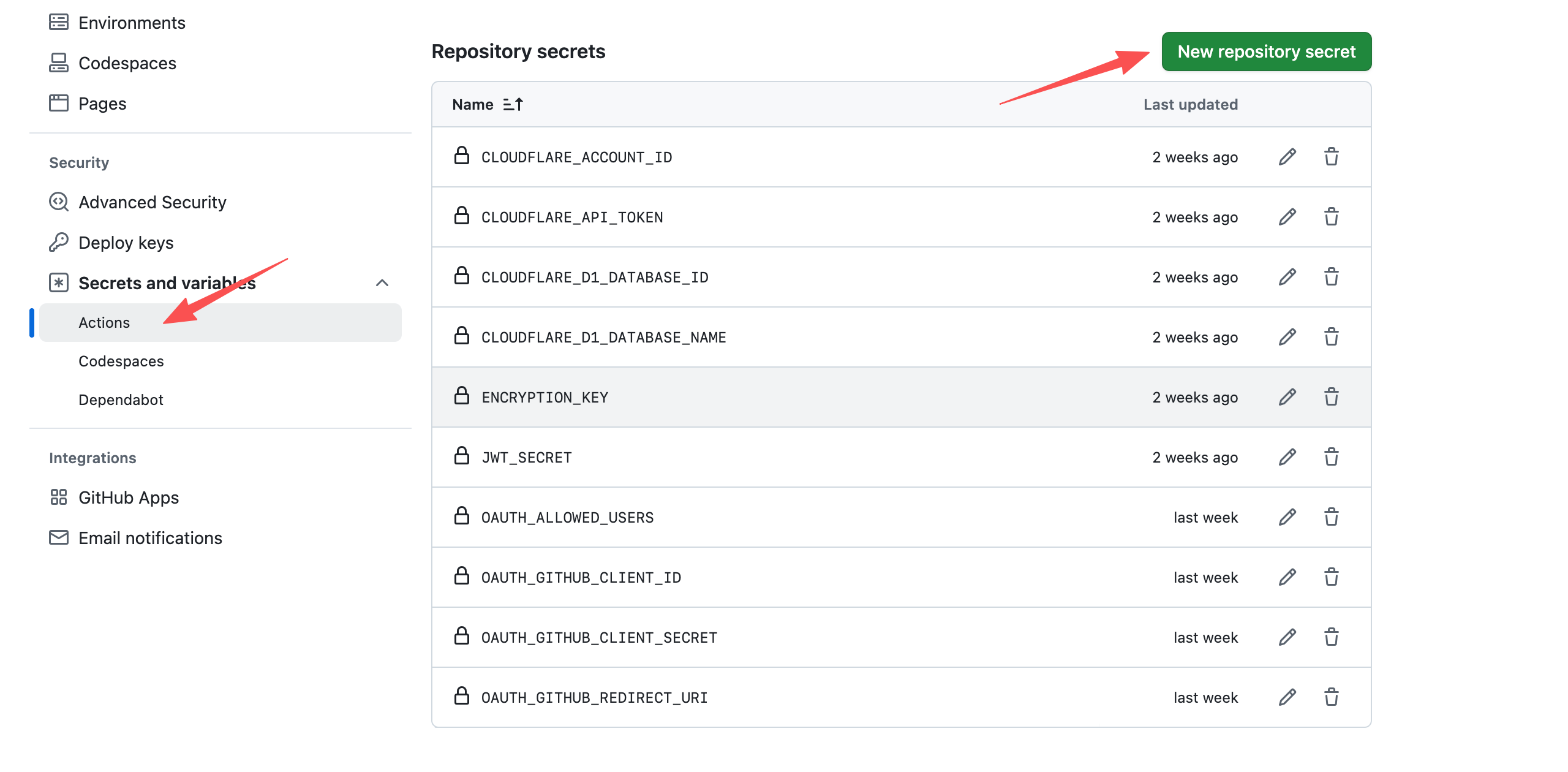
- Go to your GitHub project, click "Settings" -> "Secrets and variables" -> "Actions".
- Click "New repository secret" and add the following sequentially:
| Secret Name | Source / Recommended Value |
|---|---|
CLOUDFLARE_API_TOKEN | The API token you just generated in Cloudflare |
CLOUDFLARE_ACCOUNT_ID | The Account ID displayed on the right side of the Cloudflare Workers dashboard |
CLOUDFLARE_D1_DATABASE_ID | The ID of the nodeauth-db you just created |
CLOUDFLARE_D1_DATABASE_NAME | nodeauth-db |
ENCRYPTION_KEY | A random key of at least 32 characters |
JWT_SECRET | A random key of at least 32 characters |
OAUTH_ALLOWED_USERS | Your allowed login email addresses |
| OAuth Secrets (Example) | Refer to Login Platform Configuration for details |
OAUTH_GITHUB_CLIENT_ID | Your GitHub Client ID |
OAUTH_GITHUB_CLIENT_SECRET | Your GitHub Client Secret |
OAUTH_GITHUB_REDIRECT_URI | https://your-domain.com/oauth/callback |
Click to view: Secrets Configuration Example
4. Trigger Deployment
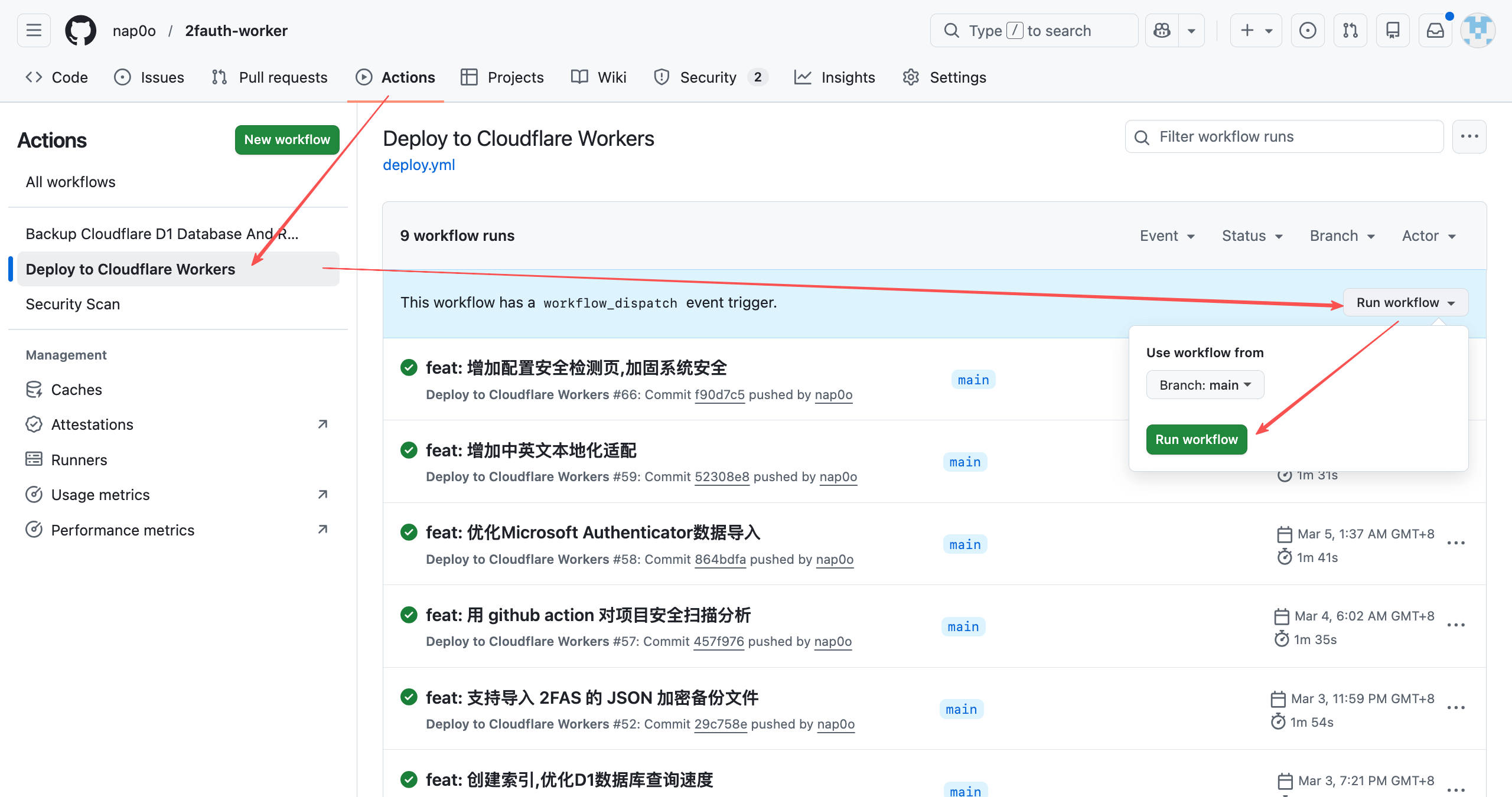
- Initial Deployment: Click "Actions" at the top of the project, select the
Deploy to Cloudflare Workersworkflow, and click "Run workflow". - Subsequent Updates: Every time you push code to the
mainbranch, GitHub will automatically complete the deployment and sync the database for you.
Click to view: Manual Deployment Trigger Example
💡 Why Choose GitHub Action?
- Transparent Deployment: Every deployment has log records, making errors clear at a glance.
- Secure Secrets: All keys are stored with high-strength encryption by GitHub. Even if the repository is made public, the keys remain protected.
- Continuous Integration: Automated testing and preview mechanisms ensure that the code you push is always functional.